I forgot to attach this link in my other post
Thank you for the wait.
I wanted to confirm with you if “DFU in FS mode” does not show up in the dropdown menu when you click on “Options” in Zadig and select “List All Devices”. You would need to put the Daisy Seed into bootloader mode by doing the button presses for that option to show up.
Could you share these threads where a Seed was being recognized by Windows but then stopped similar to what you’re experiencing at the moment?
Finally, if it’s not too much of a trouble, could you film yourself going through the Zadig process? You can share an unlisted video on YouTube and link it here. This troubleshooting process has been proven helpful in the past.
By the way, a teammate with Windows told me that PCs can/will just forget USB stuff over time for some reason. Even using them often, driver had to be reset to WinUSB with Zadig pretty often.
I cannot film at this time, maybe this evening. But, these are the exact steps I am taking when plugging in daisy:
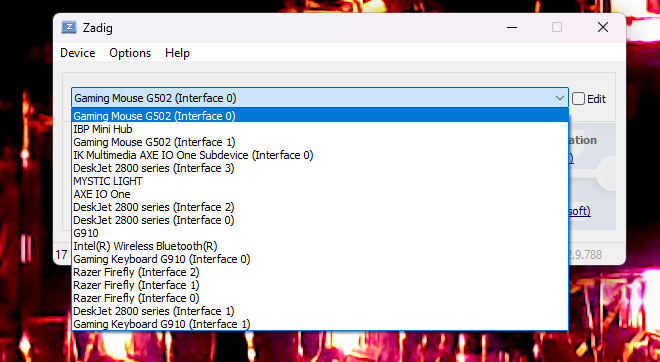
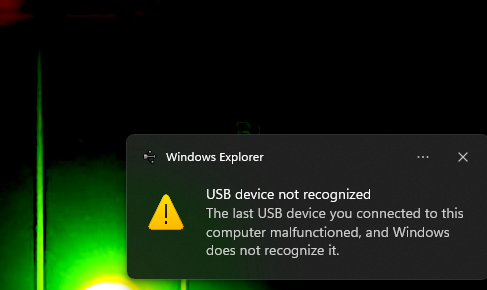
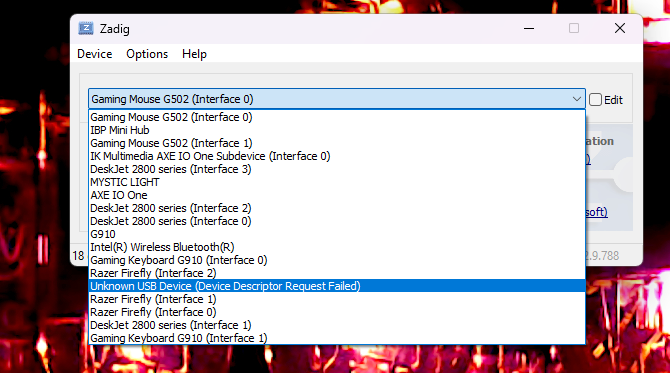
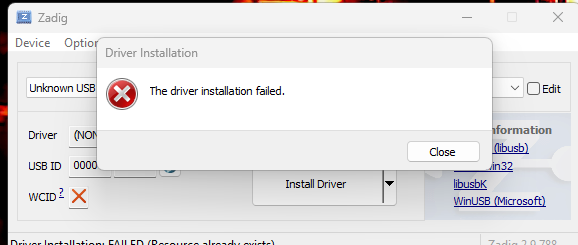
With Zadig opened, I click on options and select list all devices. I plug in Daisy, and check the dropdown menu before I put the device in bootloader. (Pic 1) I then place the Daisy Seed in bootloader mode by holding down BOOT and pressing and releasing RESET, and then releasing BOOT. About 1 second later, I get the ding of a USB device plugged in and an error that says “USB device not recognized. The last USB device you connected to this computer malfunctioned, and windows does not recognize it.” (Pic 2) I then click on the drop down menu to look at devices in Zadig, and the only new device is “Unknown USB device (Device descriptor request failed)” (Pic 3) And if I try to run Zadig and install WinUSB, It attempts and fails (Pic 4)And I cannot for the life of me find the thread where the person was talking about it worked once and now it doesn’t.
Thank you for the detailed confirmation.
There’s a chance that your unit was faulty and became fully broken.
We can continue the conversation via email since we’ll most likely set up an RMA. Thank you.
It appears I am having a similar problem here Mac: No DFU capable USB device available - #6 by fairplay. I am commenting here just so I can do more comments on my thread as I am a new user