Hi,
as I don’t have that OLED board, I can only guess a little bit.
I am using similar or same breadboards and wires. I have encountered bad wires, with no connection at all. It took me a while to find that out, because I had believed, that a wire is a wire…
Some other thing to consider is, that the Oled might need a proper reset, which is done by power up, so it might need unplugging the Daisy. Also it might need some more time to power up, so a delay might be necessary, before sending commands to it.
As 5V tolerance and SPI is not needed here, it might be the best way to buy a cheaper display without these features.
I tried adding a Delay. Good idea but it did not help. I am beginning to think there is an issue with my Seed.
Hi all!
I am facing a problem connecting the JMD 1.3A OLED display.
I did everything as it was described here. The display worked, but there were artifacts in the form of pixels that either glowed or were extinguished not where they should have been lit or extinguished.
I filled it with a solid color using display.Fill(true); and cleared the screen by calling display.Fill(false);
It started to look like this:
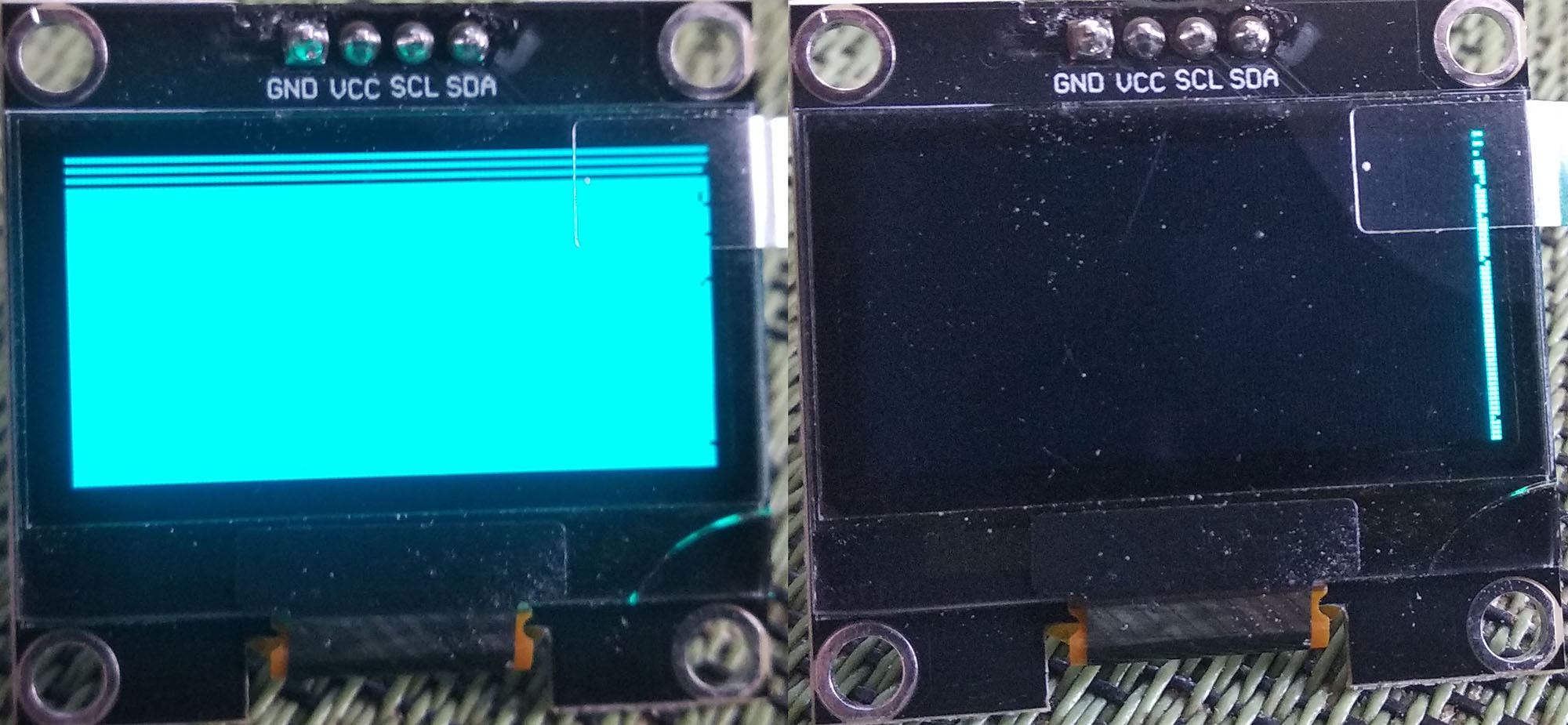
However, after searching for information about this display, I found out that it works with the SH1106 driver. The next problem was that I didn’t find any header files for this driver in the official github repository.. However, I found this header file here. At the same time, I had to correct the oled_ssd130x.h file, where I had to change the scope of the private members of the transport_ and buffer_ classes as protected.
After that, the artifacts on the right side of the display disappeared, but the top three lines through one also remained black. I will be glad of any advice to solve this problem. It’s useless to turn to neural networks, since I’ve been reading stupid artificial intelligence answers all day, which have not yielded a positive result.