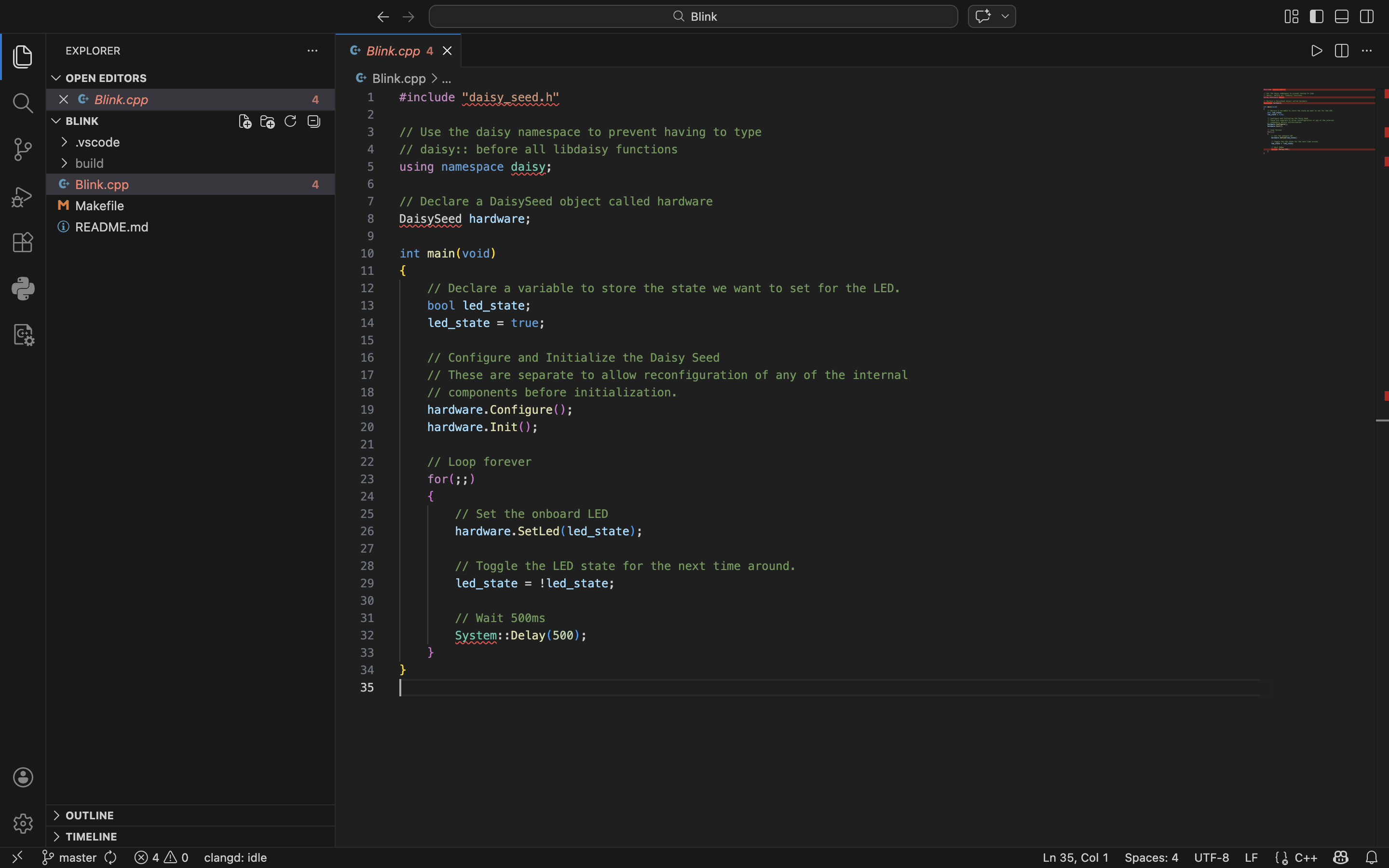
I just got a Daisy Pod and I’m trying to run through some early examples. I ran through the Getting Started guide and I’m able to flash over USB with seemingly no problems (my LED blinks!), but the code shows errors that I can’t to figure out. In blink.cpp, for example, I get the following errors:
‘daisy_seed.h’ file not foundclang(pp_file_not_found)
Expected namespace nameclang(expected_namespace_name)
Unknown type name 'DaisySeed’clang(unknown_typename)
Use of undeclared identifier 'System’clang(undeclared_var_use)
I feel like these suggest that my libraries aren’t built, but I did run ‘task build_all’ before ‘task build_and_program_dfu’. Even though the code works, I don’t want code lined with seemingly false errors once I get into more complex projects. Does anyone know how I can solve this?
Thanks for any help on this pretty basic question. I have some DSP experience, but I have a lot to learn on broader software development and embedded firmware. Looking forward to learning my way around here!
Thanks for the response! I didn’t move libDaisy from its location after cloning the DaisyExamples repository; libDaisy is in the DaisyExamples folder.
I just tried to build both libraries by running ./ci/build_libs.sh, as mentioned in the readme file, to see if that would do anything. I got the following back:
building libDaisy . . .
arm-none-eabi-ar: creating build/libdaisy.a
done.
building DaisySP . . .
Building DaisySP-LGPL
done.
Which differs a little from what it says to expect:
As previously suggested, VS Code is unable to find the header files, some kind of configuration hiccup in VS Code.
The build system is however completely separate from VS Code and can be run from a command line with make, without VS Code even being started. If the build goes through without any errors it was successful.
edit: The differences in the output for building libdaisy is probably due to updates to the build scripts that never found their way into the docs. Happens all the time.
I ran a clean uninstall of VS Code, reinstalled, and no longer have these errors. I must have had some old cached files or preferences that were messing me up. I should have tried this in the beginning!